Groove Masters - DJ Drum Pad
- 4.3
- Rating
- 1.00M
- Installs
- Free
- Price
 Analysis by App-foxy
Making music on a phone usually means choosing between a simple toy and a complicated studio tool. Groove Masters - DJ Drum Pad takes a more immediate route: it puts the idea of a DJ-style drum pad in front of you and encourages quick, hands-on experimentation. I found its strongest appeal in that instant response. You tap, listen, adjust your timing, and try again without first having to understand a full recording setup.
That makes it an interesting music and audio app for casual beat-making, short creative breaks, and anyone curious about pad-based performance. It is free to install, suitable for Everyone, and developed by Playcus Limited. The app has built a sizeable audience, with more than a million installs and an average rating of 4.3 from roughly 6,400 ratings. Those figures suggest that its straightforward approach works for many people, although they should not be mistaken for proof that it will replace a complete DJ workstation.
Why the drum-pad approach matters
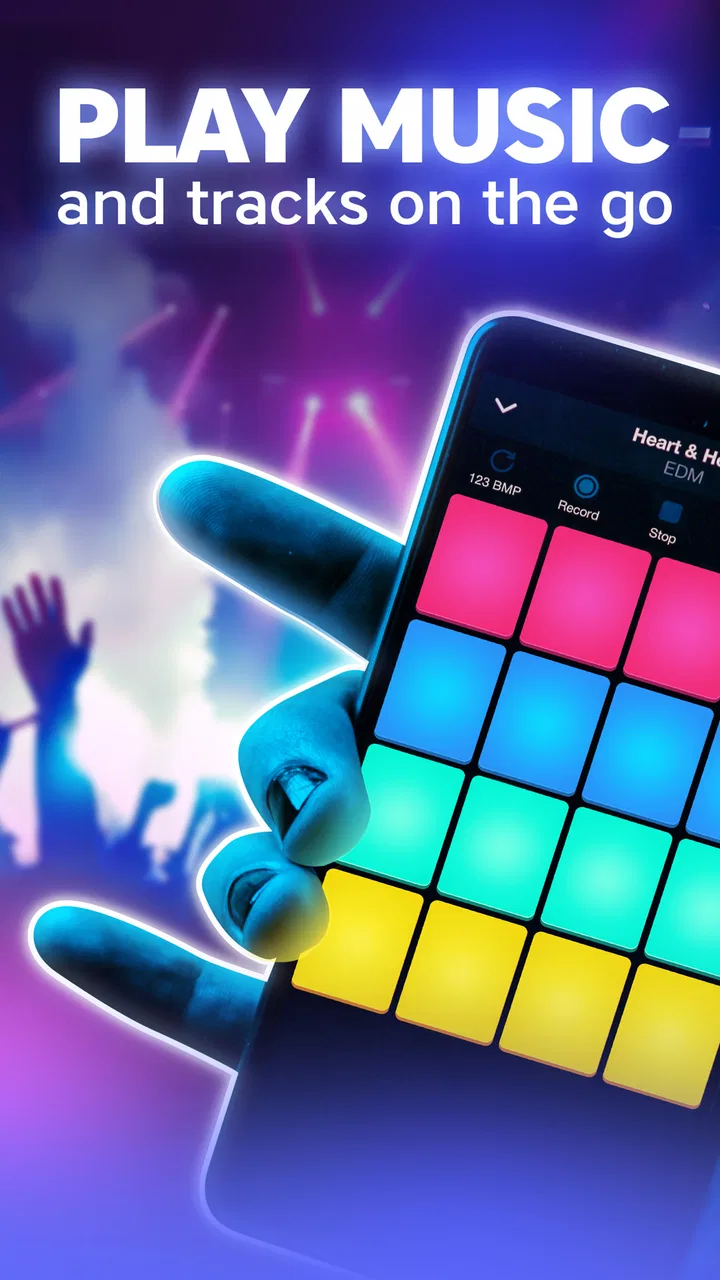
The central capability here is the ability to turn a touchscreen into a playable musical surface. That sounds simple, but it changes the way I interact with music. Instead of beginning with a timeline, menus, or a long list of production settings, I begin with my fingers. The app is built around the feeling of triggering sounds directly, which makes experimentation less intimidating than opening a traditional digital audio workstation.
You May Also Like

 Blood Strike: 2.5 Anniversary
Blood Strike’s Loadouts Turn Every Drop Into a Tactical Gamble
A close look at Blood Strike’s custom loadouts: how fast access to signature weapons reshapes its battle royale rhythm, rewards preparation, and narrows the gap between fights.

 Pandora - Music & Podcasts
Pandora’s Music Is Easy to Start, but Harder to Recover
Pandora’s strength is its low-effort path from a seed to a station. Its weak spot is how much confidence it asks you to place in connection, setup, and quiet recovery.

 8 Ball Pool
 Is Built on Rivalries, Rematches, and Routine
A close look at the rivalries, rematches, shared routines, and unanswered safety questions that turn a quick pool match into a persistent mobile community.

 Samsung Music
’s Quiet Strength Is Playing What You Already Own
Its reach comes less from spectacle than from dependable access to a personal library. That simplicity is both the app’s strongest retention engine and its ceiling.

 AccuWeather: Weather Radar
AccuWeather Review: A Quick, Clear Forecast for Everyday Decisions
For everyday plans, the best forecast is the one you can understand quickly. AccuWeather makes rain timing, radar, and local conditions easy to act on, with a few trade-offs.

 Hill Climb Racing
Why Hill Climb Racing Still Turns Crashes Into One More Run
A tiny car, a bumpy hill and one more upgrade: Hill Climb Racing keeps resurfacing because its simple chaos makes every near-miss feel personal.
More From Our News Desk



I especially like this format for users who think rhythmically but do not yet know how to arrange a full track. A pad-based interface gives immediate feedback: a tap creates a sound, a sequence of taps creates a pattern, and repeated practice makes the relationship between timing and energy easier to notice. That hands-on loop is the real value of the app, not the promise of becoming a professional DJ after a few minutes.
There is also a useful psychological advantage. Because the interaction is so direct, I am more willing to try imperfect ideas. A conventional music editor can make a beginner worry about choosing the right track, setting the right tempo, or placing every element correctly. With Groove Masters, I can start by testing a rhythm and decide later whether the result is worth developing. The best feature is the low barrier between an idea and an audible result.
That immediacy makes it different from many usual alternatives in the Music & Audio category. A streaming app is designed for listening, not creating. A full multitrack editor offers much deeper control but asks more from the user before anything feels musical. Groove Masters sits between those experiences: more interactive than a player, less demanding than a studio environment.
How I use the pads in practice
My most useful approach is to treat the app as a sketchbook rather than a finished production suite. I begin with a simple pulse and tap a small number of sounds in a repeatable order. Once that feels comfortable, I vary one element at a time. Changing everything at once makes it difficult to understand what improved the pattern, while changing one sound or one timing decision gives the session a clear direction.
This is an important practical distinction. The app rewards attention to rhythm more than endless browsing. If I keep switching between ideas without repeating any of them, I get noise and lose the sense of groove. If I stay with a short pattern for a while, I start hearing where my timing is too crowded or where the rhythm needs a pause. In that sense, the touchscreen becomes a small practice instrument.
A good beginner workflow is to use one hand for a dependable pulse and the other for occasional accents. That prevents the pattern from becoming overloaded and helps reveal which taps are carrying the beat. I also find it easier to begin slowly and build energy than to tap rapidly from the start. Speed can make a sequence feel exciting for a moment, but control is what makes it repeatable.
Another useful habit is to listen before adding more. When a pattern sounds weak, the answer is not always another sound. Sometimes removing a tap creates the space that was missing. This is one of the less obvious lessons the app can teach: a beat is shaped by silence as much as by activity. Groove Masters is particularly approachable for discovering that idea because the interface encourages direct, physical interaction rather than abstract editing.
For a short session, I would set a small goal: create one rhythm that feels consistent, then make two variations. The first variation might change the ending, while the second might leave a deliberate gap. This turns casual tapping into a repeatable exercise and gives the app more value than simply pressing pads at random.
A realistic everyday use case
Imagine having ten minutes before leaving home, during a commute, or while taking a break from study. You do not have enough time or concentration for a complete music project, but you want something more active than listening to a playlist. This is where I think Groove Masters fits naturally. I can open it, build a short rhythm, experiment with a variation, and close it without needing to prepare a large project.
It also works as a way to introduce someone else to beat-making. A friend who has never used music software can understand tapping pads immediately. Rather than explaining tracks, mixers, automation, or file management, I can let the person hear the result of a few touches. That shared, low-pressure experience is a better starting point than handing a beginner a dense professional interface.
Parents and younger users may appreciate the accessible concept as well, especially because the content rating is Everyone. I would still treat it as a creative activity rather than a structured music course. The app can encourage curiosity about rhythm, but learning more advanced production techniques will eventually require tools that explain arrangement, recording, and sound design in greater depth.
For a hobbyist, the strongest routine is to use the app before opening a more advanced editor. I can test the basic rhythmic idea here, decide whether it has potential, and only then move to a tool built for detailed arrangement. That saves time because I am not constructing a complicated project around an idea that was never strong enough to begin with.
When connection and context matter
A phone is not always used in a quiet room with a stable connection, so I would treat network access as a practical part of trying any music app rather than assume every moment will work the same way. If you are planning to use this for a commute or a break away from home, open it beforehand and make sure the experience you want is ready. That simple check avoids discovering a connection issue at the exact moment you wanted to make a quick sketch.
For a shared session with a friend, a reliable connection can matter for getting started or handling anything the app needs to load. I would not build a time-sensitive performance around an untested setup. Try the routine in the place where you expect to use it, and keep a familiar music player or another activity in mind as a fallback if the app does not respond as expected.
On the move, the main trade-off is between convenience and attention. A phone-sized pad is handy for a brief idea, but tapping while walking or navigating a crowded commute is a poor fit. I would use it when seated and able to focus, with headphones if the surroundings call for them. The app is best treated as a small creative break, not something to operate while your attention needs to be elsewhere.
If a sound or screen does not behave as expected, I would first pause rather than keep tapping rapidly. Give the interface a moment, check whether the phone’s connection is steady, then reopen the app if needed. It is also sensible to keep a promising rhythm simple enough to reproduce; relying on memory for a complicated improvised sequence makes recovery harder if you have to leave the session or restart.
That is a useful reason to work in short, deliberate patterns. I can repeat a basic pulse, notice what changed, and rebuild the idea without treating every session as a precious recording. This approach is especially helpful when using a phone in fragmented moments, where interruptions are part of the setting rather than an unusual failure.
For data-conscious use, I would avoid leaving an app open in the background when I am finished and use a trusted connection when first exploring anything that may need to load. Those are sensible habits for mobile apps generally, not a reason to avoid this one. If limiting mobile data is important to you, test the app on Wi-Fi first and then decide whether it fits your routine away from home.
Where the simplicity becomes a limitation
The same simplicity that makes the app welcoming also limits its appeal for experienced producers. If I want precise editing, a detailed timeline, extensive mixing control, or a carefully managed recording workflow, a dedicated workstation is the better choice. Groove Masters is most convincing as an immediate performance surface, not as a replacement for every stage of music production.
That trade-off matters when deciding whether to spend money inside the app. It is free to use as an entry point, while in-app purchases range from $0.99 to $59.99 per item. I would begin with the free experience and ask whether the basic interaction genuinely fits my habits before considering any purchase. A larger payment makes more sense only for someone who already enjoys the pad workflow and understands exactly what additional value they want.
I also would not choose this app if my main goal were to produce a polished, release-ready song entirely on a phone. The quick performance style is excellent for ideas and practice, but a finished track usually needs more control over structure, balance, transitions, and revision. Users who already know they need those things may be happier starting with a full music-production app.
There is a second limitation that is easy to overlook: a responsive interface can encourage impulsive playing, but impulse is not the same as musical development. Beginners may enjoy the first few sessions and then feel stuck if they do not adopt a method. My advice is to create small challenges, such as repeating a pattern evenly, inserting a pause, or building a variation without losing the pulse. The app becomes more rewarding when I bring a clear exercise to it.
Device compatibility is another practical consideration. The current version is 0.202.34 and requires at least Android 8.1. That makes it accessible to many Android users, but anyone with an older phone should check compatibility before planning to use it. I would also keep expectations realistic on smaller screens: a pad interface can feel natural, yet accuracy depends on how comfortably I can see and tap the controls.
Who gets the most from it
I would recommend Groove Masters to beginners who want to explore rhythm without facing a technical wall, casual users looking for a creative activity, and hobbyists who enjoy making quick beat sketches. It is also a sensible option for someone who wants to understand whether pad-based performance feels natural before investing time in more complex software.
It is less suitable for a producer who already depends on detailed sequencing, serious mixing, or a broad arrangement workflow. It may also disappoint listeners who only want music playback, since the point is participation rather than passive listening. Choosing it comes down to whether you want to make small rhythmic ideas with your fingers or manage a complete audio project.
Playcus Limited has positioned the app around accessibility, and I think that is the right way to judge it. I do not measure it against a professional studio and then complain that it is not one. I ask whether it makes the first step into beat-making feel inviting, whether it encourages useful practice, and whether its quick interaction remains enjoyable after the novelty fades. On those terms, it has a clear purpose.
The app has been available since June 19, 2020, and its continued presence alongside a 4.3 average from about 6,400 ratings shows that the concept has lasting appeal for a broad audience. Its free price lowers the risk of trying it, while the age rating keeps the entry point open to a wide range of users. I would simply approach any optional spending carefully and judge it by repeated use rather than by a single exciting session.
My final take after using it
Groove Masters - DJ Drum Pad succeeds because it makes rhythm feel physical and immediate. I can open it with no plan, discover a beat, and then turn that accidental idea into a small practice session. The most valuable result is not necessarily a finished composition; it is a better sense of timing, repetition, space, and the confidence to experiment.
My recommendation is strongest for people who want a friendly first step into beat-making on Android. Start with short patterns, change one thing at a time, and use the free experience long enough to learn whether the pad format suits you. If your ambitions move toward detailed production, keep a full-featured music editor in mind as the next tool rather than expecting this app to handle everything.
In short, I see it as a compact musical playground with a practical learning angle. It is not the right choice for every creator, but for quick rhythm sketches, casual sessions, and beginners who want to play before they study, it offers a refreshingly direct way to make sound. Use it as a creative starting point, not as a promise of a complete studio.
FAQs for Groove Masters - DJ Drum Pad
01What is Groove Masters - DJ Drum Pad?
Groove Masters - DJ Drum Pad is a music-making app designed for creating beats, loops, and DJ-style performances directly on a mobile device. It provides a pad-based interface where users can trigger drum sounds, effects, and musical samples in real time. The app is aimed at beginners and casual creators, while also offering enough flexibility for users who enjoy experimenting with rhythm and electronic music.
02Is Groove Masters - DJ Drum Pad suitable for beginners?
Yes, the app is generally accessible to beginners because its main controls are based on tappable pads rather than complicated production menus. New users can start by triggering sounds, combining loops, and testing different rhythms by ear. However, learning how to keep timing consistent and build a complete arrangement may require practice. Users interested in advanced mixing or detailed audio editing may find the feature set more limited.
03Can I create and save my own music with Groove Masters - DJ Drum Pad?
Groove Masters - DJ Drum Pad is primarily focused on live beat creation and interactive performance, allowing users to combine sounds and loops into short musical ideas. Depending on the version installed, saving or recording performances may be available, but the exact export options can vary by device and app update. Before downloading, users who need professional audio files or extensive editing should check the current feature list.
04Does Groove Masters - DJ Drum Pad work offline?
Many of the basic pad and beat-making functions may be usable without a continuous internet connection once the application and any required sound resources have been installed. Internet access can still be necessary for downloading additional content, displaying advertisements, updating the app, or using online features. If offline performance is important, it is recommended to test the app after disabling mobile data and Wi-Fi.
05Is Groove Masters - DJ Drum Pad free to download?
The application may be available as a free download, but users should review the store listing carefully because free versions can include advertisements, optional purchases, locked sound packs, or other limitations. The exact pricing model can differ between Android and iOS and may change with updates. Checking permissions, subscriptions, and in-app purchase details before installing helps avoid unexpected charges.
Pros
- Responsive pads make beat creation feel immediate and satisfying.
- Loop-based controls help beginners build tracks without music theory.
- A broad sound palette supports different electronic music styles.
- Short sessions work well for quick creative ideas on mobile.
- Visual feedback makes timing and pad activation easy to follow.
Cons
- The free version may restrict sounds or features behind advertisements.
- Small screens can make precise pad tapping difficult during busy patterns.
- Advanced users may find the mixing and editing tools somewhat limited.
- Projects may lack the depth of a full digital audio workstation.
- Performance can vary on older devices with many effects playing.

Groove Masters - DJ Drum Pad
Gallery